← Back to manuals
MANUAL / SCRIPT
UltraBarabara
A panel that converts text to shapes and separates it by line, word, character, part or stroke.
Installation
- 01
Copy UltraBarabara_1.0.1.jsxbin to Scripts/ScriptUI Panels.
- 02
Restart After Effects and open UltraBarabara from Window.
UltraBarabara does not use a licence key.
Separation modes
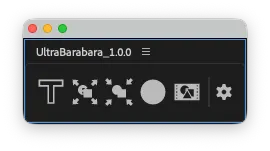
- As is
- Converts to shapes without separating.
- Lines
- Separates each line.
- Words
- Separates words.
- Characters
- Separates individual characters.
- Parts
- Separates the shape parts composing each character.
- Strokes
- Analyses outlines and approximates individual strokes.
Basic operation
- 01
Select the target text layers.
- 02
Choose a separation mode and the required options.
- 03
Run the conversion. Enable Pre-compose to collect the result in a composition.
Stroke-separation tuning
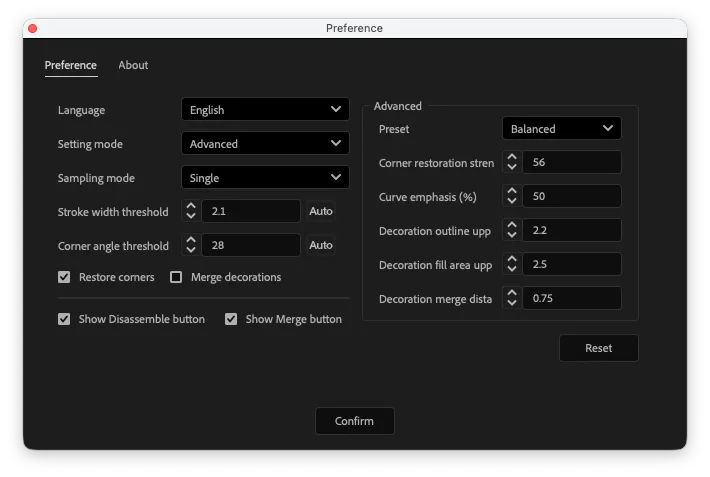
- Corner recovery strength
- Controls how strongly separated endpoints are considered a recoverable corner.
- Curve emphasis
- Adjusts the sensitivity used to distinguish curved and straight fragments.
- Decoration bounds limit
- Sets the bounding-box limit for parts treated as decoration.
- Decoration fill-area limit
- Sets the filled-area limit for small decorative parts.